
Documentation Index

Fetch the complete documentation index at: https://docs.ensend.co/llms.txt

Use this file to discover all available pages before exploring further.

Overview

Ensend verifies that requests are authorized before they are accepted and processed. This requirement is met by providing your project secret as a bearer token in the authorization header of your request. In this guide, you’ll learn how to obtain a project secret to authenticate your requests to the Ensend API.
An Ensend account is needed to follow along. If you don’t already have one, create your account and come back to this guide.

Project Secrets

Your project secret keys are essentially your API keys. They are sent as bearer tokens in your request header. When using the SDKs, you are to provide your secret when creating your Ensend client.
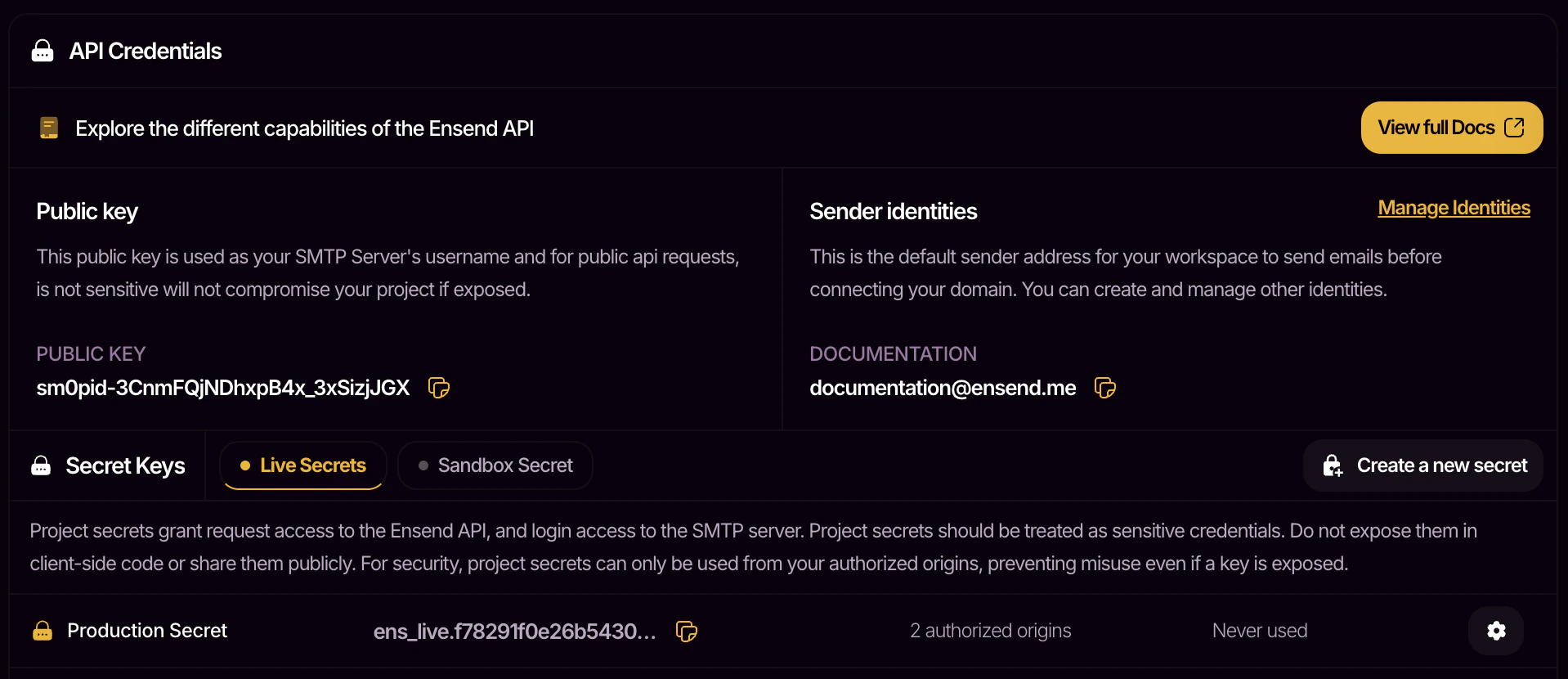
Project secrets should be treated as sensitive credentials. Do not expose them in client-side code or share them publicly.
Image 2
Navigate to Workspace > Project > Credentials to view your project secrets.
Live SecretsSandbox Secrets
EnvironmentUse when sending from your production environmentsUse when sending from non-production environments
DeliveryMessages get delivered to recipientsMessages are not delivered, but can be viewed on ensend
PricingStandard rates applyFree to use
Navigate to Workspace > Project > Sandbox Messages to view your sandbox messages.
Each project secret has a set of authorized origins you can modify. Origins are typically domains that your request will be sent from. Requests made from unlisted origins will be denied. This helps secure your project secrets from misuse in the case of an accidental exposure.Example values are: localhost, app-name.netlify.app, website.com.
Manage your list of authorized origins by clicking on the icon of your project secret.

Sender Identities

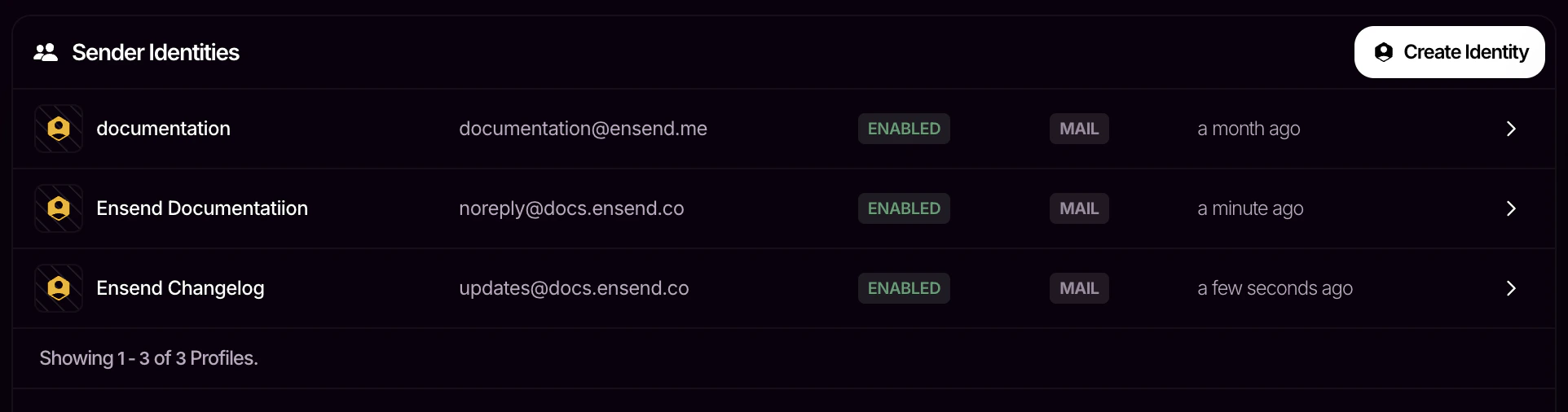
Sender identities are used as sender addresses when sending emails. Every workspace has a default sender identity ending with @ensend.me that is shared across all projects in the workspace. Even when you don’t have a domain, you can still send messages on Ensend.
Image
Navigate to Workspace > Project > Identities to view your sender identities. To use custom identities, you’ll need to connect a domain to your workspace.

Public Key

Your public key is your username when connecting with our SMTP server to send messages over SMTP. It is also used as an API key for a limited set of API actions. Unlike project secrets, it is safe for use on the client-side.

Next Steps

Now that you have your api credentials, follow the quickstart guide to send your first message.
Last modified on April 13, 2026